KAMRUI
KAMRUI Pinova P2 Mini PC with Ryzen 4300U, 16GB RAM and 512GB SSD
Score
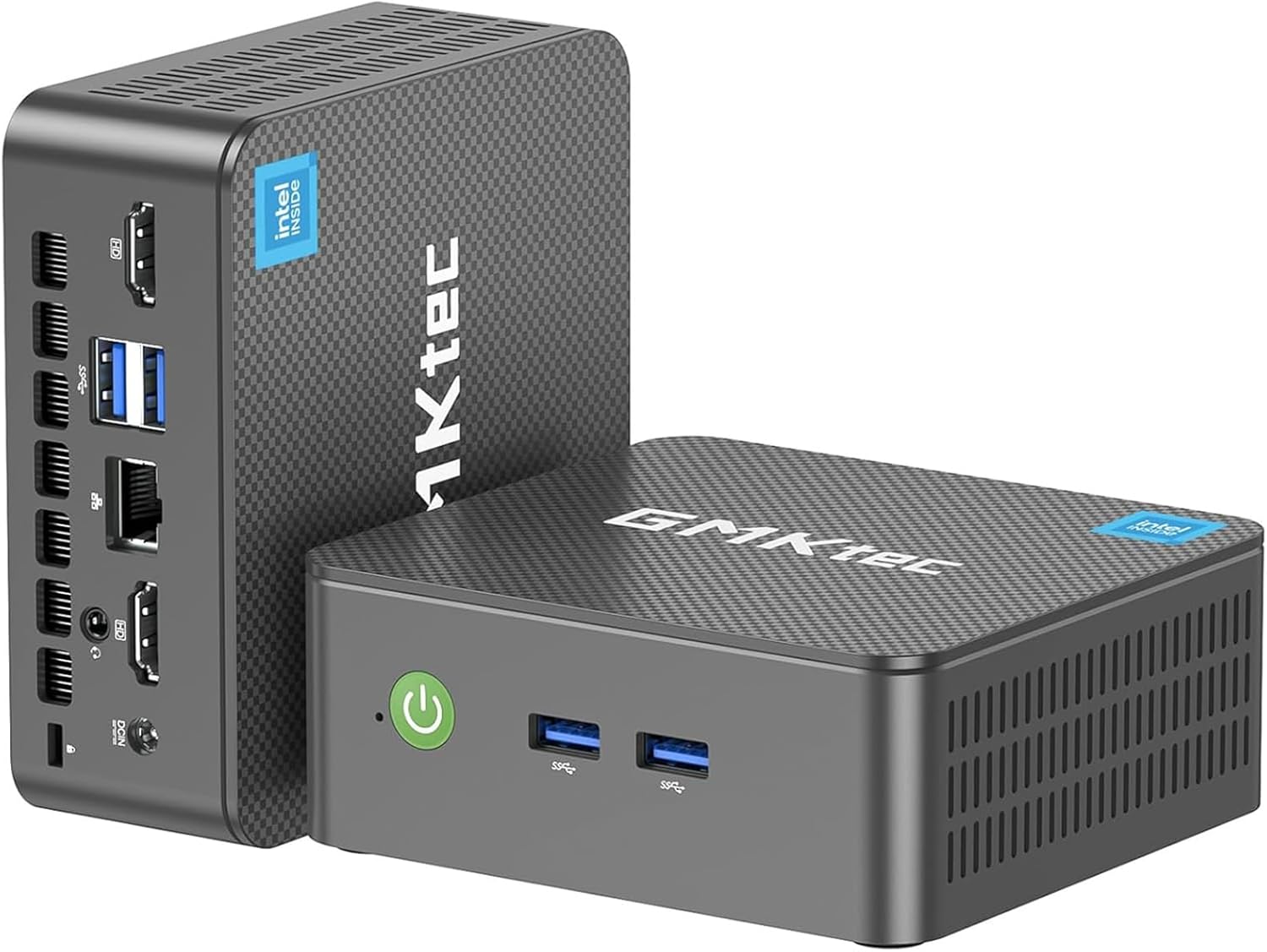
The KAMRUI Pinova P2 is a compact mini desktop PC built for everyday computing, home office work, streaming, and light multitasking. It combines an AMD Ryzen 4300U processor, 16GB RAM, 512GB SSD storage, and triple-display support in a small case that can sit on a desk or mount behind a monitor.
Why it stands out
- Compact mini PC design that saves desk space
- AMD Ryzen 4300U processor is well suited to everyday productivity
- 16GB RAM and 512GB SSD support smooth basic multitasking
As an Amazon Associate, we may earn from qualifying purchases.
Score Breakdown
Best For
It is best for shoppers who want a space-saving desktop for web browsing, office apps, video calls, media playback, light schoolwork, and multi-monitor productivity without buying a full-size tower.
Tradeoffs to note
- Integrated graphics are better suited to everyday visuals than demanding games
Why We Like It
The Pinova P2 offers a practical balance of size, everyday speed, and ports. The Ryzen 4300U is a capable low-power processor for daily tasks, while the 16GB memory and 512GB SSD help the system feel responsive for common home and office use. We also like that KAMRUI includes HDMI, DisplayPort, and USB-C video output for triple 4K display setups, plus a VESA mount for cleaner desk setups. For buyers moving from a bulky desktop or older laptop, this is an easy way to get a compact workstation footprint.
What Buyers Notice
Public buyer feedback commonly focuses on the compact size, simple setup, quiet everyday operation, and solid responsiveness for office work and streaming. Shoppers should view it as a practical small desktop rather than a gaming or heavy creative workstation.
Who Should Buy It
Buy the KAMRUI Pinova P2 if you want a compact, ready-to-use desktop for office work, streaming, web browsing, video calls, and multi-monitor productivity. It is especially useful for small desks, dorm rooms, reception areas, classrooms, and home offices.
Detailed Review
The KAMRUI Pinova P2 is designed for people who want a normal desktop experience in a much smaller package. Its roughly mini-square footprint makes it easy to place on a desk, shelf, media cabinet, or behind a monitor with the included VESA mount.
For performance, the AMD Ryzen 4300U processor, 16GB RAM, and 512GB SSD make the most sense for daily computing. That includes browser tabs, spreadsheets, documents, email, video meetings, and streaming. It is not positioned as a high-end gaming PC, but it has enough hardware for common home and business tasks.
Connectivity is a strong point. The system supports triple 4K display output through HDMI, DisplayPort, and USB-C, which is useful for buyers who want two or three monitors for work. It also includes Gigabit Ethernet, WiFi, Bluetooth, USB-A, and USB-C connections for typical accessories and networking.
- Good fit for home office, school, and everyday desktop use
- Small enough for clean desk setups or monitor mounting
- 512GB SSD gives practical storage for apps and personal files
- Expandable storage support is useful for buyers who may add more space later
The main buying expectation is simple: this is a compact productivity PC. It should appeal to shoppers who value size, convenience, and everyday responsiveness more than dedicated graphics power or workstation-level performance.
FAQ
What is the KAMRUI Pinova P2 best used for?
It is best for everyday desktop tasks such as web browsing, office documents, email, video calls, streaming, and light multitasking.
Can it run multiple monitors?
Yes. This configuration supports triple 4K display output through HDMI, DisplayPort, and USB-C video connections.
Is this mini PC good for gaming?
It can handle light or older games depending on settings, but it is not intended for demanding modern games because it uses integrated graphics.
Can the storage be expanded?
Yes. The listing describes two M.2 storage slots with support for expanded storage, though extra drives are not included.
Does it include mounting hardware?
Yes. The package includes a VESA mount with screws, so it can be mounted behind a compatible monitor or on a wall.