KAMRUI
KAMRUI Pinova P1 Mini PC with AMD Ryzen 3 4300U, 16GB RAM and 256GB SSD
Score
The KAMRUI Pinova P1 is a compact mini PC built for everyday desktop tasks in a small footprint. The selected configuration pairs an AMD Ryzen 3 4300U processor with 16GB RAM and a 256GB M.2 SSD, making it a practical option for web work, office apps, online learning, video calls, and streaming.
Why it stands out
- Compact design that fits small desks, shelves, and mounted setups
- AMD Ryzen 3 4300U processor is well suited to everyday productivity
- 16GB RAM supports smooth multitasking for common home and office apps
As an Amazon Associate, we may earn from qualifying purchases.
Score Breakdown
Best For
It is best for shoppers who want a small desktop for a home office, family workstation, classroom setup, media room, or front-desk business use without taking up much space.
Tradeoffs to note
- 256GB storage may be modest for large local file libraries
Why We Like It
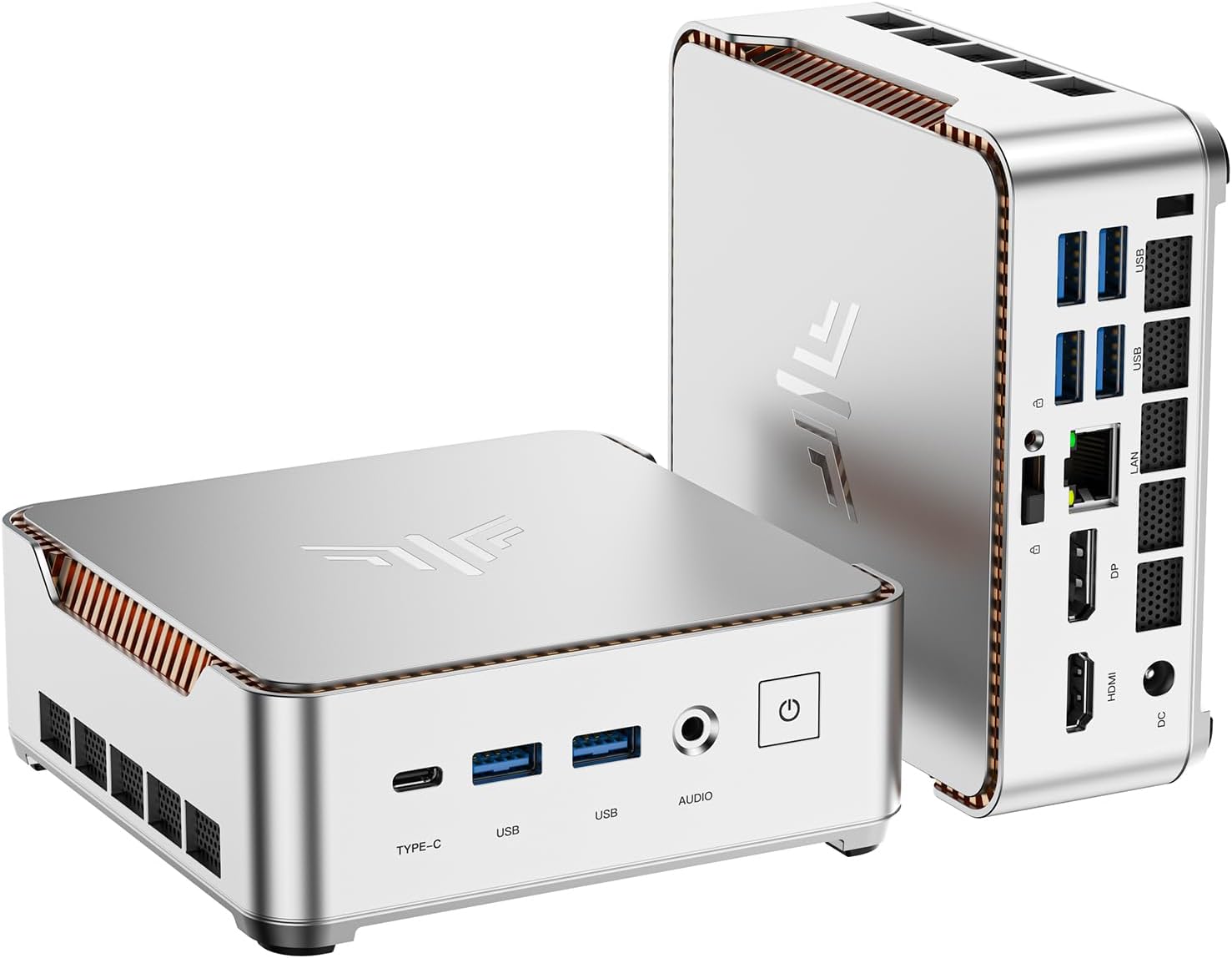
The Pinova P1 stands out because it gives everyday users a stronger small-PC setup than many basic entry models, while still staying compact enough for tight desks and VESA-style mounting. Its triple-display support through HDMI, DisplayPort, and USB-C is especially useful for multitasking setups. We also like that it focuses on practical connectivity rather than flashy extras: Wi-Fi, Bluetooth, Ethernet, a 3.5mm audio jack, and included essentials such as an HDMI cable, power adapter, and VESA mount help make setup straightforward.
What Buyers Notice
Public buyer feedback commonly highlights the small footprint, simple setup, and usefulness for daily office, browsing, streaming, and remote-work tasks. Many shoppers appear to value the compact design and practical port selection for home and business spaces.
Who Should Buy It
Buy it if you want a compact desktop for everyday work, online learning, browsing, streaming, and multi-monitor productivity, especially when space is more important than high-end gaming power.
Detailed Review
The KAMRUI Pinova P1 is a space-saving desktop for everyday computing. Instead of taking over a desk like a tower PC, it is small enough to sit beside a monitor or mount behind a display with the included VESA hardware.
The selected version combines an AMD Ryzen 3 4300U mobile processor with 16GB RAM and a 256GB M.2 SSD. That mix is a good fit for browser tabs, documents, spreadsheets, video meetings, online classes, and media playback. It is not positioned as a gaming rig, but it has enough everyday speed for users moving from an older desktop or basic laptop.
Display flexibility is one of its stronger points. The listing describes triple 4K output using HDMI, DisplayPort, and USB-C with display support, which is useful if you work with multiple screens or want a cleaner home-office setup.
- For productivity: 16GB RAM gives it room for common multitasking.
- For small spaces: the compact body and included mount help reduce desk clutter.
- For connectivity: Wi-Fi, Bluetooth, Ethernet, USB-C, and audio output cover typical daily needs.
The main buying consideration is storage. A 256GB SSD is enough for apps and documents, but buyers with large photo, video, or game libraries may want external storage or a higher-capacity setup. Overall, the Pinova P1 is a sensible compact PC for ordinary home and office work.
FAQ
What processor does the KAMRUI Pinova P1 use?
The selected configuration uses an AMD Ryzen 3 4300U processor, a quad-core mobile chip designed for everyday computing tasks.
How much memory and storage does this version include?
This selected version lists 16GB RAM and a 256GB M.2 SSD.
Can it support multiple monitors?
Yes. The listing describes triple 4K display support through HDMI, DisplayPort, and USB-C.
Is it good for gaming?
It can handle light or casual games, but it is not intended for demanding modern gaming or heavy graphics workloads.
What comes in the box?
The listing shows the mini PC, an HDMI cable, a power adapter, and a VESA mount with screws.