GMKtec
GMKtec G3 Pro Mini PC with Intel Core i3-10110U, 16GB RAM and 512GB SSD
Score
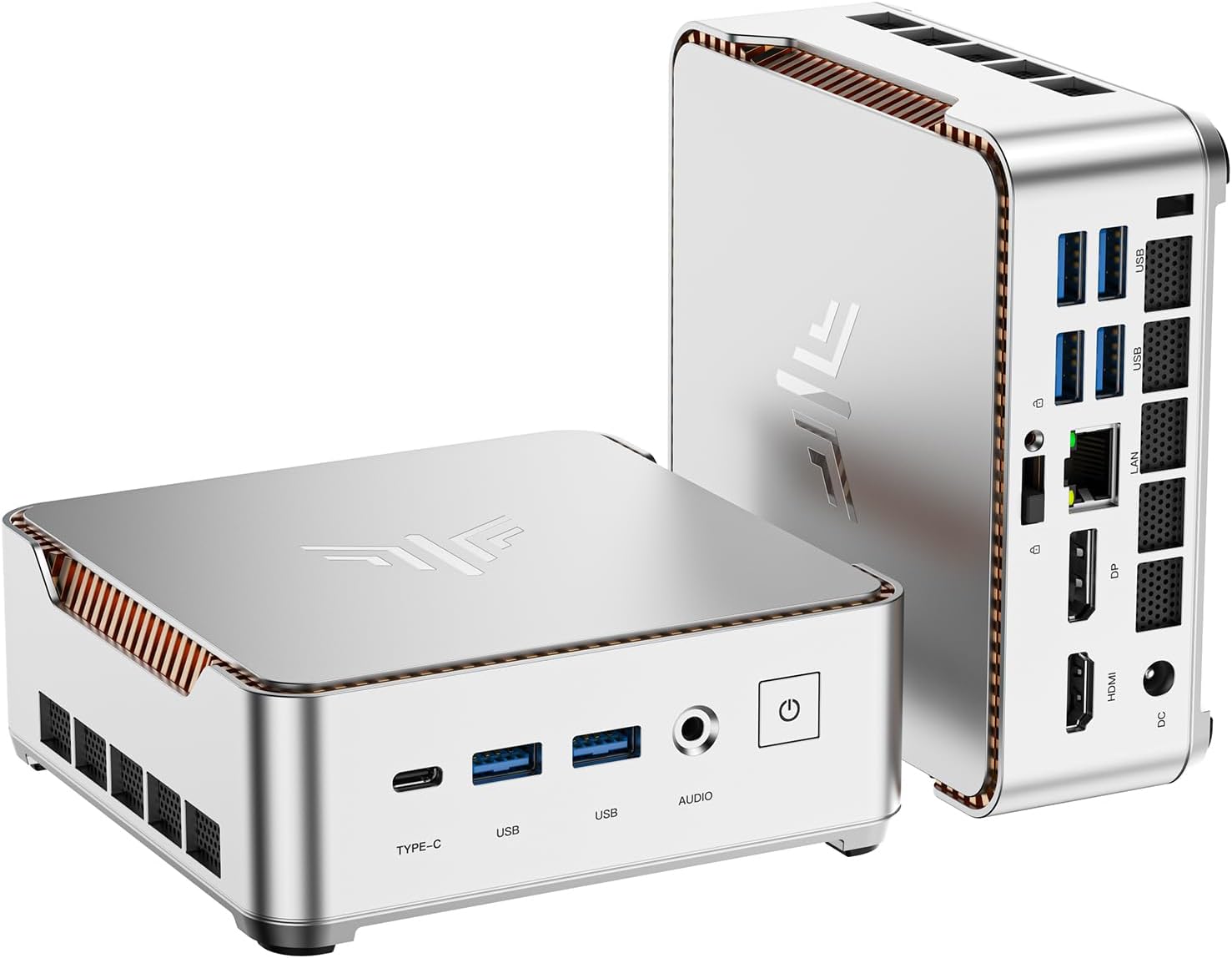
The GMKtec G3 Pro is a compact Windows 11 Pro mini PC built around Intel's Core i3-10110U processor, 16GB of DDR4 memory and a 512GB SSD. It is designed to replace a bulky desktop for everyday work, web browsing, light multitasking, streaming and simple home-office setups.
Why it stands out
- Intel Core i3-10110U processor suits everyday office, web and media tasks
- 16GB DDR4 memory and 512GB SSD provide a practical ready-to-use configuration
- Dual HDMI outputs support compact two-screen desk setups
As an Amazon Associate, we may earn from qualifying purchases.
Score Breakdown
Best For
It is best for shoppers who want a small, ready-to-use desktop for office apps, online classes, browser-based work, media playback, point-of-sale tasks or a tidy dual-monitor desk setup.
Tradeoffs to note
- 4K display refresh-rate details should be checked carefully for your monitor setup
Why We Like It
This mini PC stands out because it balances a familiar Intel Core i3 chip with practical memory, storage and ports in a very small chassis. The 16GB RAM configuration is useful for everyday multitasking, and the 512GB SSD gives most home and office users a more comfortable starting point than smaller entry-level drives.
What Buyers Notice
Public buyer feedback commonly highlights the small size, quiet operation, easy setup and good everyday performance. Buyers also tend to view it as a strong space-saving desktop option for normal home and office use, while power users should match expectations to the Core i3-class hardware.
Who Should Buy It
Buy the GMKtec G3 Pro if you want a small Windows desktop with enough memory and storage for everyday use, dual-display flexibility and modern network options without paying for gaming-level hardware.
Detailed Review
Design and setup: The GMKtec G3 Pro is made for shoppers who want a clean desktop without a full tower. Its compact body can fit beside a monitor or be mounted behind a display, and the package includes the basics most buyers expect, including a power adapter, HDMI cable, VESA mount hardware and user manual.
Performance: The Intel Core i3-10110U is a 2-core, 4-thread mobile processor with boost speeds listed up to 4.1GHz. It is a sensible fit for web browsing, documents, email, streaming, light office work and simple multitasking. The 16GB DDR4 memory helps it feel more flexible than many bare-entry mini PCs, especially when several browser tabs and office apps are open.
Storage and expansion: The 512GB M.2 SSD is a practical starting point for everyday files and apps. Published specifications also list two M.2 storage positions, including an M.2 2280 slot and a secondary M.2 2242 slot, which gives more flexibility than a sealed basic desktop.
Connectivity: The port mix is one of the more useful parts of this model. It includes four USB 3.2 ports, dual HDMI, a 3.5mm audio jack, Wi-Fi 6, Bluetooth 5.2 and 2.5GbE Ethernet. That makes it easy to connect monitors, peripherals, external drives and a faster wired network.
Buying perspective: This is not a performance gaming PC or a creator workstation, but it makes sense as a compact everyday computer. It is strongest when used for office work, home study, browsing, light media use and simple business deployments where size, ports and setup convenience matter more than raw graphics power.
FAQ
Does the GMKtec G3 Pro come with Windows?
Yes. The listed configuration includes Windows 11 Pro, so most buyers can set it up like a normal desktop PC.
Is this mini PC good for office work?
Yes. Its Core i3 processor, 16GB RAM and SSD storage are well suited for documents, spreadsheets, web apps, video calls and general multitasking.
Can it run two monitors?
Yes. The G3 Pro includes two HDMI outputs for a dual-monitor setup. Check your monitor requirements if you need a specific 4K refresh rate.
Is it suitable for gaming?
It is best for light or older games and basic graphics tasks. Buyers who want modern gaming performance should look for a mini PC with stronger graphics.
Can the storage be expanded?
Published specifications list two M.2 SSD slots, including one M.2 2280 slot and one M.2 2242 slot, so it offers more storage flexibility than many basic mini PCs.